Edit Manufacturer Card
The "Edit Manufacturer Card" feature allows user(s)/agent(s) to modify specific details of a manufacturer card while adhering to certain restrictions based on the legacy/new MF card and userType. This document outlines the editable and non-editable fields, workflows, and API scenarios for managing manufacturer cards effectively.
UX: Edit Screen
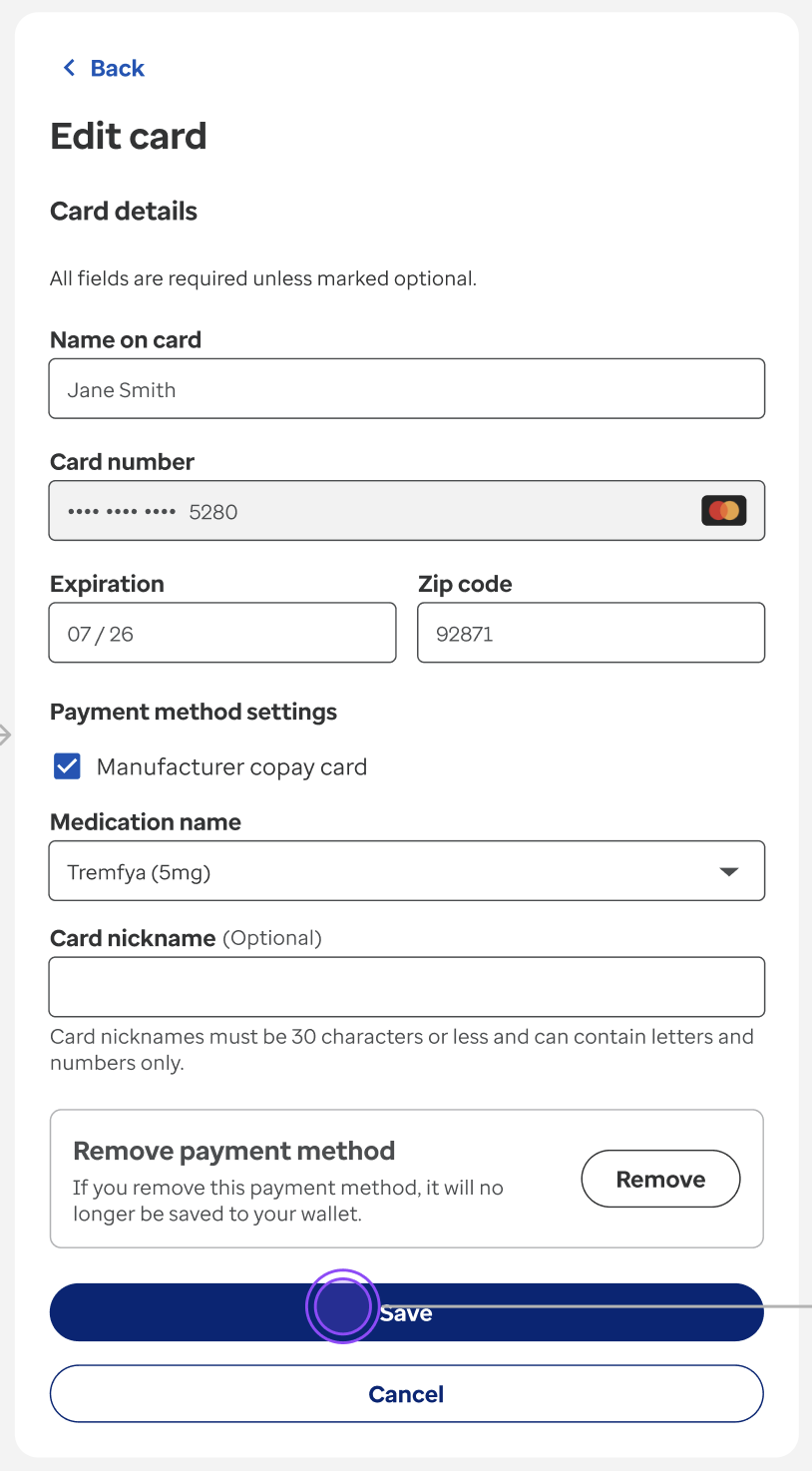
Editable Fields
- Name on Card
- Expiration Date
- Zip Code
- Nickname
Non-Editable Fields
- Manufacturer Card Flag
- Medication (except in the legacy case below)
Special Case: Legacy Manufacturer Cards
For legacy cards:
- You may add a medication once and save it.
- After a medication is associated, the medication field becomes non-editable.
- Other fields (name, expiration, zip code, nickname) remain editable and can be saved.
New Workflow (Starting July 2025 - replace this with release version)
API: High-Level Flow Diagram
Use Case: Edit Card Details (Name on Card, Expiration Date, Zip Code, Nickname)
Editable fields: Name on Card, Expiration Date, Zip Code, Nickname
Use Case: Edit MF to Regular Card
Use Case: Edit Regular to MF Card
Use Case: Edit Medication
API: Applicable Scenarios
| userType | apiScope | outcome |
|---|---|---|
| agent, authUser | user | allowed |
| agent, authUser | merchant-wallet-management | allowed |
Existing Workflow (Up until June 2025 - replace this with release version)
API: High-Level Flow Diagram
Use Case: Edit Card Details (Name on Card, Expiration Date, Zip Code, Nickname)
Editable fields: Name on Card, Expiration Date, Zip Code, Nickname
Use Case: Edit MF to Regular Card
Use Case: Edit Regular to MF Card
API: Applicable Scenarios
| userType | apiScope | outcome |
|---|---|---|
| authUser | user | allowed with restrictions |
| agent | user | allowed |
| authUser | merchant-wallet-management | allowed with restrictions |
| agent | merchant-wallet-management | allowed |